
 Русский
 English
 العربية
 简体中文
 Türkçe
 Беларуская
 Română
 ქართული
 Հայերեն
 Azərbaycanca
 Қазақша
 Oʻzbekcha
 Кыргызча
 Тоҷикӣ
 Türkmençe
 हिन्दी
 Français
 Español
 한국어
Get started
XWallet opens where you already chat.
The wallet works inside Telegram. Nothing to download — all you need to start is a phone number and email.
Three steps
Open, confirm, use
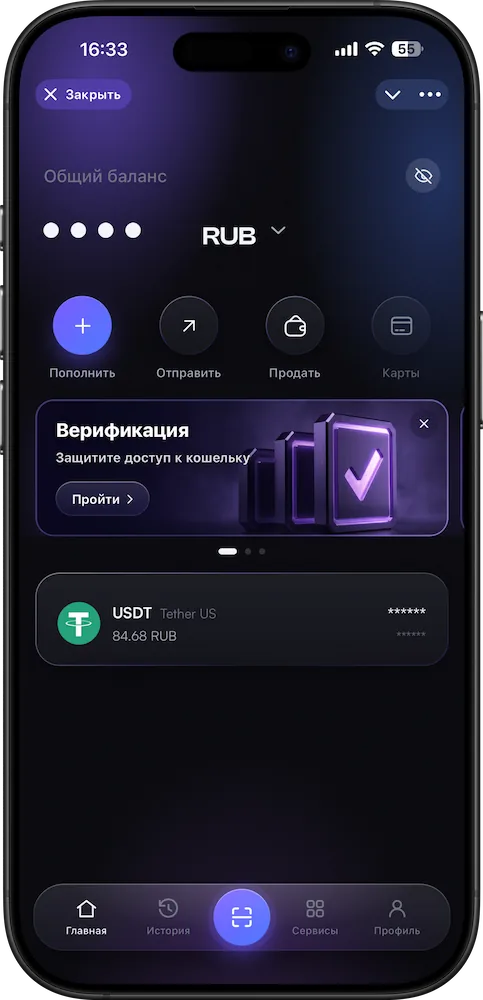
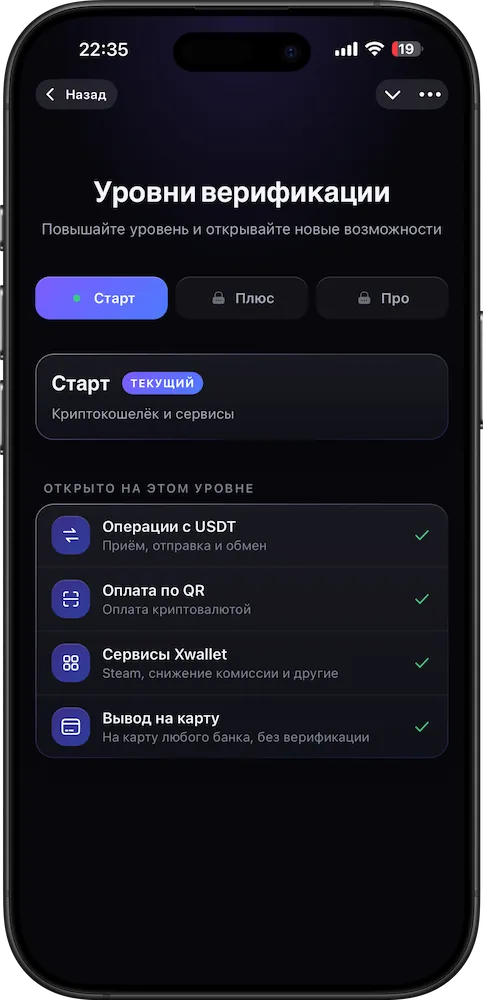
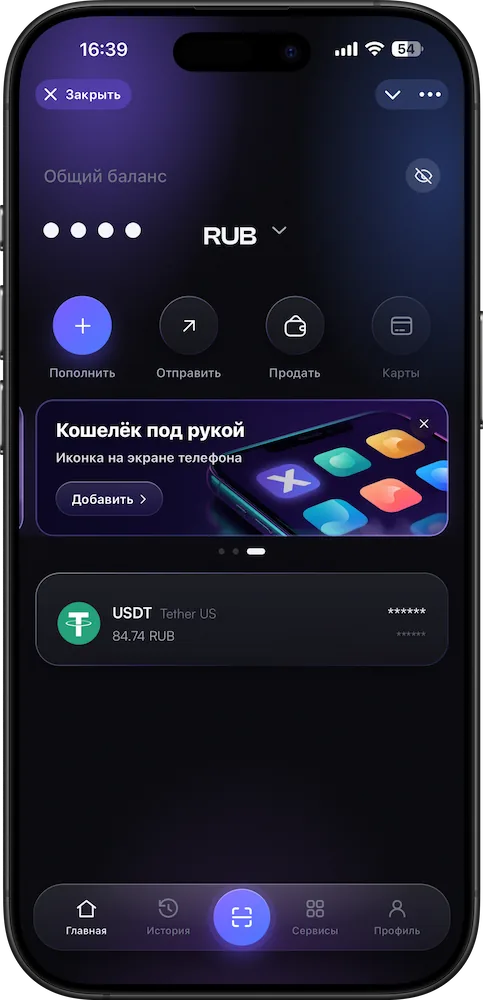
- 1Open the bot
@XWalletOne_bot in Telegram — on your phone via the button, on a computer via the QR code on the home page.
- 2Confirm your phone and email
That’s all you need to start.
- 3Add the icon to your home screen
In the app — the “Wallet at hand” banner → “Add”. XWallet will open like a regular app.
Get started
All that’s left is to open it.
A phone number and email — and your wallet is ready. One asset: USDT on the TRC20 network. Everything inside Telegram.
Open in Telegram@XWalletOne_botopen in Telegram
Phone and emailall you need to start
Home screen icon“Wallet at hand” banner

USDTTRC20 network